Treat the shape as a candidate
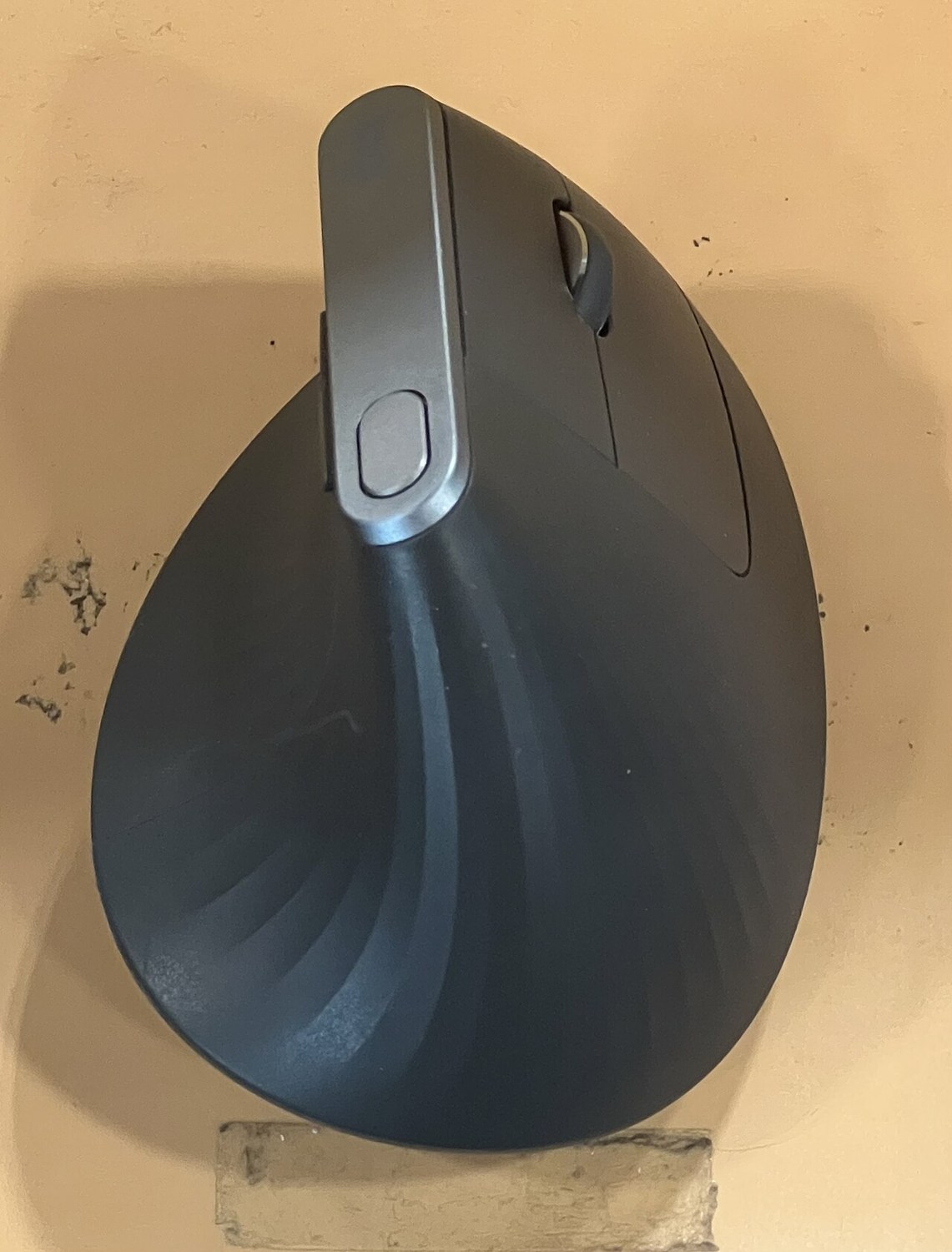
A vertical mouse changes the angle at which the hand rests, but the label does not specify one universal shape. Models vary in height, width, slope and button placement. A design intended for one hand size may not feel the same in another. Compare the actual dimensions and handedness before assuming all vertical mice solve the same problem.
If the reason for changing is discomfort, consider the wider desk arrangement too. Mouse distance, chair position and task duration remain relevant. A product description is not an individual assessment, and a different shell should not be presented as a guaranteed treatment. Persistent symptoms deserve appropriate advice rather than a succession of speculative purchases.
Check ordinary actions slowly
Try moving the pointer, selecting text and dragging a window. The first attempt may feel unfamiliar, so separate novelty from an obvious reach problem. Notice whether the thumb can rest without pressing a button and whether the main buttons can be clicked without gripping tightly. There should be enough room to reposition the mouse without hitting nearby objects.
Also try lifting it briefly as you would when returning to the centre of a mouse mat. A tall body may meet your hand differently from a low mouse. If you frequently switch between keyboard and pointer, check that the higher shape does not get knocked during the transition.
Change settings deliberately
Start with a pointer speed that lets you work comfortably within the available space. A setting carried over from another mouse may not feel identical. Adjust one setting at a time and perform the same short tasks again. Avoid simultaneously changing speed, acceleration, button assignments and desk position, because the result becomes hard to interpret.
Check whether settings require software that your computer permits. A model can offer many programmable buttons on paper while leaving only basic operation available on a managed work machine. Confirm that the configuration you need works before the return period ends.
Decide using your own routine
If the trial is permitted, use the mouse for a limited ordinary task and compare how you manage the controls. Do not force prolonged use to justify the purchase. A left-handed option, a smaller vertical model or a conventional shape may be more suitable than the first model you tried.
The objective is a usable pointing device within a workable desk arrangement. Keeping a record of the shape and settings you compared can prevent buying a near-identical unsuitable model later. A vertical design is one option to assess, not a category that everyone must eventually adopt.